
This nifty tool allows you to download a local backup of a moodle course.
If something is not working or a feature is missing, feel free to open an issue or pull request on GitHub.
The shift to e-learning is a good trend to improve education, however it has some downsides. In the olden days, you typically have physical binders full of material from your studies, which allow you to look up stuff years after you finished your studies. With modern e-learning the majority of material is accessible in your web browser at all times, well at least until you loose your account once you finished your studies or once your university/school decides to delete the material to save some precious disk space. While the latter seems unlikely since storage has become so cheap, this is something that happened at my university just this year.
That's where this tool comes to the rescue, it will allow you to create a local copy of a moodle course and download it as a zip file. It will only backup data that you have access to and could theoretically backup on your own with some manual labour.
Whether the use of this tool is legal probably depends on your country. In Germany, I'd argue that this can be seen as a "Priatkopie", although I'm not a lawyer. So use at your own risk.
If you decide to use the tool, the entire backup process will happen on your device. Only the backup script itself will be loaded from an external server, but your login information and downloaded data will remain private. However, the script will automatically interact with your moodle server to download all resources of the course you have access to. Executing an untrusted script in the context of a different site can be a security issue, potentially compromising your account.This script will not share any data with an external service, which you can verify for yourself if you're able to comprehend the source code.
Navigate to the course you want to backup and open your the developer tools of your browser. This can typically be achieved by right clicking somewhere on the page and selecting the "Inspect (Element)" option shown in the context menu.
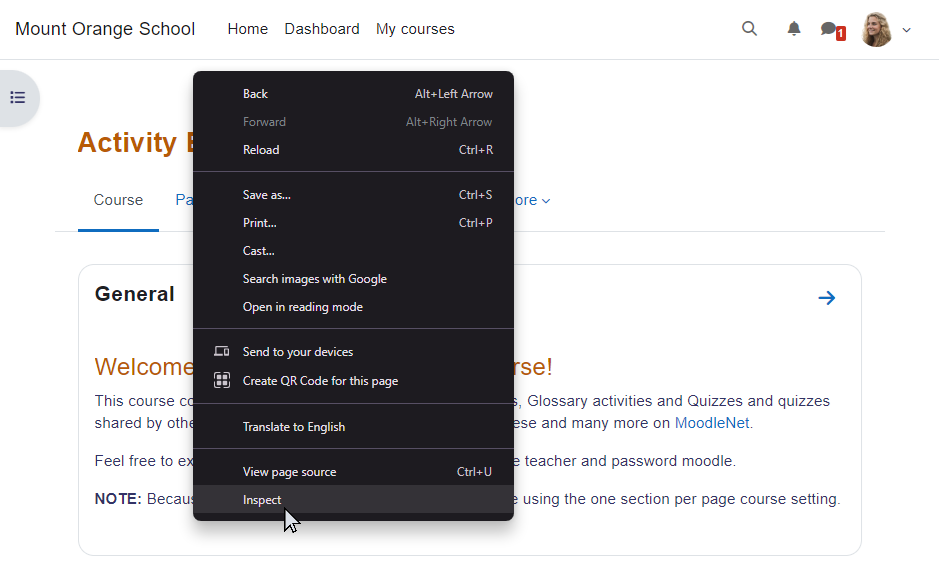
Then switch to the "Console" tab.
Here you have a blinking cursor where you can type and execute code in the context of the course's page.

To execute the backup tool type the following statement here:
import('https://moodleport.ech0.de/backup.js');Note: as a security measure, most browsers will prevent you to copy/paste code into this area. While, this behavior can be changed, it is "safer" to actively type this short line into the console instead.
Double check that you entered the line without spelling errors, before executing it by pressing the "Enter ↲" key. A dialog will open, showing you the progress of the export.
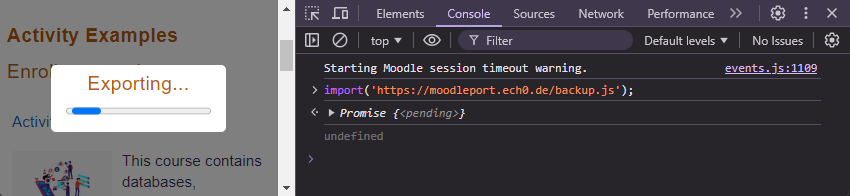
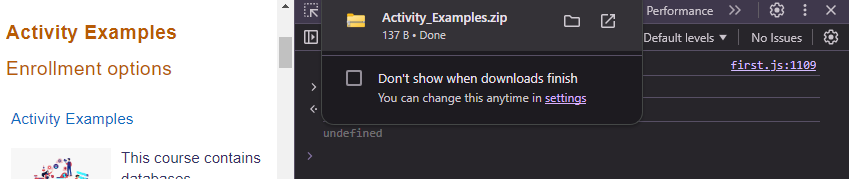
Once finished, a ZIP-File will be downloaded automatically, which you can then extract to access your local backup of the moodle course.Note: Some browsers may not be able to execute larger courses, due to internal limitations. Chrome seems to be the best option currently. If you encounter any issues, it might be worth giving Chrome a shot.
😎